Tuesday, October 19, 2004

BTQueue 0.0.16 on the front page


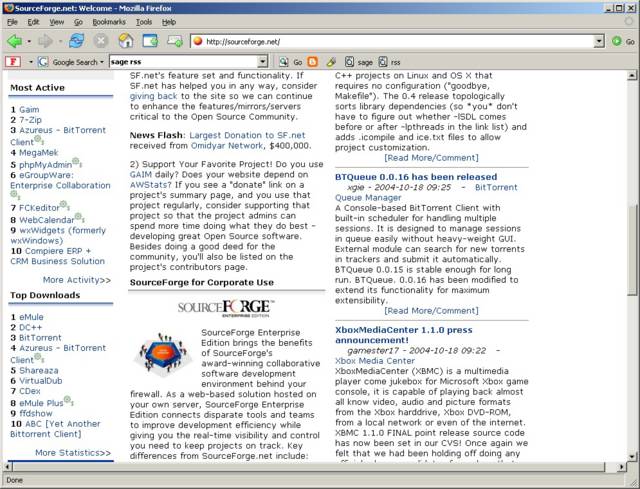
BTQueue 0.0.16 has been announced at the front page of sourceforge.net.

Firefox 1.0PR


Eventually, I switched to firefox since my colleages have switched. I also installed its extensions, e.g. JustBlogIt, UltraBar, Autofill, and Tabbrowser Preferences.

Monday, October 18, 2004

SCMSWeb as a replacement of MDS for job scheduling problem

Since MDS2 is very unstable and SQMS/G relies on it, sometimes SQMS/G can't get available resources due to timeout in MDS itself. To temporarily fix this problem, we decided to extend SCMSWeb to act like a MDS especially for SQMS/G.

To activate this function, you have to upgrade SCMSWeb to the newest version in CVS. Note that you have to upgrade all SCMSWeb instance in the grid. Next step, you have to specify your scheduler for job monitoring module in /etc/sce/sce.conf as follows.

[jobmon]
scheduler = sqms

Now SCMSWeb only supports SQMS, SGE, MDS, and RSL. If you are using other scheduler, you can use MDS or RSL if globus supports it. Actually, MDS and RSL are very similar but MDS may contain remote information.

In order to use MDS, you have to specify mds_host, mds_port, and mds_basedn in mds group.

[mds]
mds_host = mds.thaigrid.net
mds_port = 2135
mds_basedn = mds-vo-name=thai,o=grid


For RSL, it is necessary to specify globus_location and scheduler_type in jobmon group.

[jobmon]
globus_location = /usr/grid
scheduler_type = pbs


Note that both MDS and RSL does not provide full information like native drivers such as SQMS and SGE.

In SQMS, I introduces new resource information plug-in for retrieving queue status from specified URL. If you want to activate this plug-in, please change option allhost_source in group sqms or queue's group to liburlrinfo.so. Moreover, specify option queue_url in form %scmsweb_cgiurl%/queue_mon.cgi by replacing %scmsweb_cgiurl% with cgi url specified to SQMSWeb at installation time (contact your admin). Default value is http://localhost/cgi-bin/scmsweb/queue_mon.cgi.

[sqms]
allhost_source = liburlrinfo.so
queue_url = http://observer.thaigrid.net/cgi-bin/scmsweb/queue_mon.cgi
Daemon/Remote in BTQueue 0.0.16

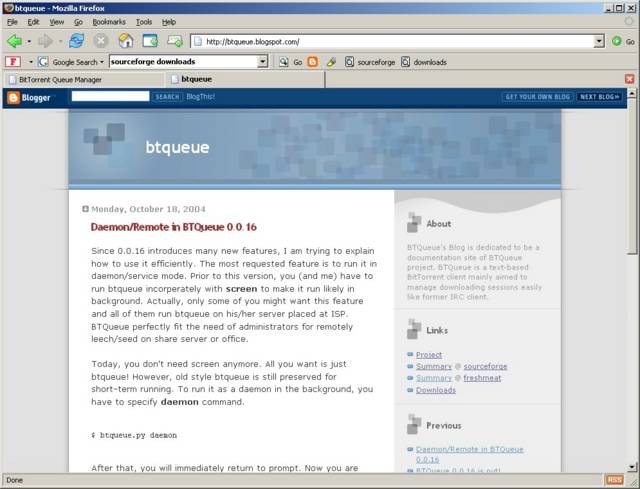
Since 0.0.16 introduces many new features, I am trying to explain how to use it efficiently. The most requested feature is to run it in daemon/service mode. Prior to this version, you (and me) have to run btqueue incorperately with screen to make it run likely in background. Actually, only some of you might want this feature and all of them run btqueue on his/her server placed at ISP. BTQueue perfectly fit the need of administrators for remotely leech/seed on share server or office.

Today, you don't need screen anymore. All you want is just btqueue! However, old style btqueue is still preserved for short-term running. To run it as a daemon in the background, you have to specify daemon command.

$ btqueue.py daemon

After that, you will immediately return to prompt. Now you are ready to control btqueue anywhere by running command below:

$ btqueue.py remote


By default, btqueue.py will bind itself on localhost (127.0.0.1) to make it more secure. However, sometimes you might want to control it from anywhere. In this case, please change global setting xmlrpc_ip to 0.0.0.0 or another more specific ip. As you should already know, there are 2 ways to modify setting; 1) directly modify policy.conf and 2) call gset command in the btqueue's prompt.

>>> gset xmlrpc_ip 0.0.0.0

After modification, restarting is needed.

In remote control mode, you can do whatever you used to do. Note that notifications such as start and terminate are disabled in this mode. Moreover, quiting in this mode will not terminate its daemon. In case of you want to shut down the daemon gracefully, you have to run kill command instead.

BTQueue 0.0.16 is out!

I proundly release BTQueue 0.0.16 (build 240). This version is the major change to improve both functionality and comfortability. You can get it at sourceforget.

Sunday, October 17, 2004

Constructing a site board is painful

Today, I have bought a site board to place in my new room. It is so heavy (net wg. 40 kg). It took more than 3 hours to construct and it has not finished yet. The last pieces are to mount magnet to little door. I plan to buy a mini component very soon to put it in this site board.

Graphics Editor


Due to picasa can't modify image, I have to find another solution. What I want is just a small graphics editor that let me select a region in various form, rectangle, circle, or free form, and clear it to background color. This feature is very useful for posting screenshot with some private information. I found that Brush Strokes 1.01 meet my requirements. Its size before extracting is about 600 KB and 3 MB after extracting. However, as you could see it now, it is not a "good looking" program. Anyway, I will try to use it for a while.

Saturday, October 16, 2004

Antivirus review


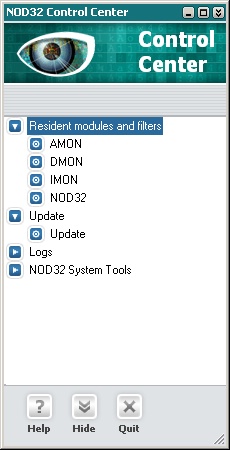
NOD32, in my opinion, is the best antivirus in term of performance and virus information. It is significantly faster than Norton, McAfee, Trend Micro, or even Kaspersky.

QEMU for Windows and Knoppix

QEMU is a processor emulator developed firstly on linux and later ported to windows. It allows to run windows on linux or linux on windows. This feature is very useful for linux live cd, e.g. Knoppix, to let me run linux without rebooting windows. However, it is slower than commercial emulator like virtual pc or vmware. Booting knoppix on qemu on windows is easy as single click.

Friday, October 15, 2004

Working with MindMap

I am heavily using mindmap in my work, for example, technical paper, project presentation, meeting report and many more. There are many mindmap software to help creating and maniputing map in mind to reality in monitor. The first one is FreeMind written in java. It is very small in size but consumes huge memory (java vm). The best thing of FreeMind is that it is totally free for all and also includes sources (if you care). Another choice is MindManager which is a popular commercial mindmap software. It allows you to change style of line, node, and layout. Furthermore, you can export your map to powerpoint for quickly presentation in professional looking. In other words, it can also export the map to a document including your note. The output document is almost ready to submit as a technical paper! In addition, it supports task assignment like MS project and can synchronize with MS outlook. Cool!